

Frequently Asked Questions
Here are a few of our more frequently asked question on the use and installation process of our eBay website listing tool. If you don't see the answer to your question, please visit our contact page and get in touch through our contact form.

Our eBay auction listings tool will allow you to display all of your ebay items on your own website. This will keep your visitors on your own website until they are happy to make a purchase.

Yes. Once you have entered your eBay User ID you will be able to make choices on how they are displayed. You have choices for colours, design and options, such as 'grid' view with 3, 4 or 6 products across and as you make a change and press 'update' you will be able to see the results live on the preview screen.
Yes, use of the listing tool is free, simply configure your options and add the code to your website, there are no fees to you or your customers. One Step Design may receive anonymous referral commissions from eBay if a successful transaction occurs after clicking a link to eBay, but this is at no cost to the user.
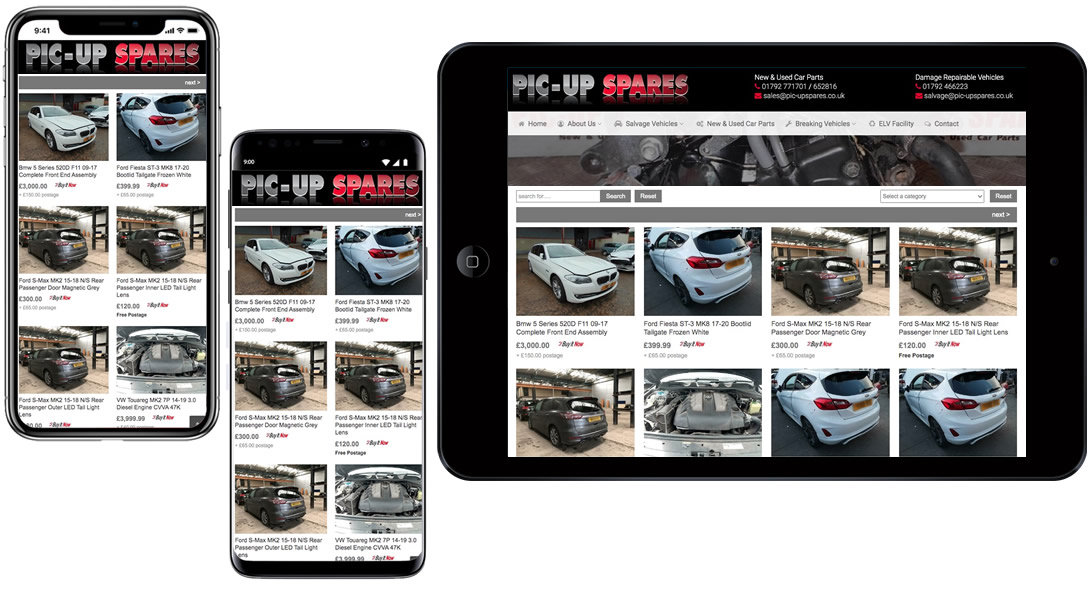
Yes, as long as the mobile device has modern web browser support. The listings generated by our tool are mobile responsive and will adapt to the device being used, such as smart phones, tablets, laptops and desktop computers.
Yes. The when your customer visits your webpage our script will connect to eBay and get your 'live' items/products and then put them on the webpage in the format that you have chosen. Your customer can also use the search to search through your products and again this is all live without any delays.

Yes, we have a Wordpress plugin that you can install from the plugins page on your Wordpress website, just serach for 'Auction Feed' or follow this link to view our plugin on Wordpress.org
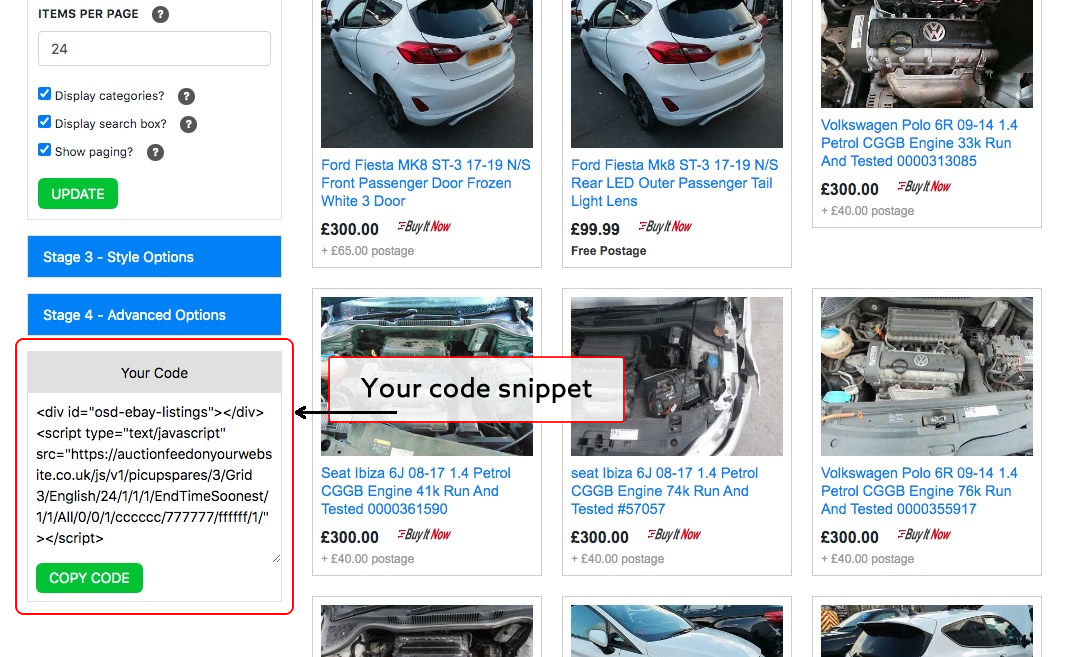
Once you have added your eBay User ID, correct eBay Marketplace and chosen your styling and options you will see our code snippet appear, each time you change anything and press update the new code will be generated and will look something like this:
<div id="osd-ebay-listings"></div><script type="text/ja
Simply press the 'Copy Code' button and paste this in to your web page where you want the listings to appear.
Yes, just use our contact form or chat option to get in touch and we will always try to help, assist and advise you on the best way to add our free software script to your own website.
Our assistance, like our software is also free :)

Yes, we have a basic overview video to explain how our 'Auction Feed On Your Website' software works. Watching this short video will run you through the simple steps involved in adding all of your ebay listings to your own website.
Our code snippet that displays your eBay items on your website, automatically loads over HTTPS if your page is being served over HTTPS (using an SSL certificate). Some web browsers block mixed content, this is where HTTP pages are trying to be served via HTTPS.
Yes, simply enter your new choices to create your new code snippet, copy the code again, and replace the old code on your web page.

If you are certain you have entered your eBay User ID (not your eBay username) and you still don't see your items you may have the wrong eBay Marketplace selected. Our eBay auction listings tool defaults to 'eBay UK' so you may need to change it.
Simply look in the 'Stage 1 - Feed Information' section on the right hand side of the screen and select the correct Marketplace from the dropdown list (eBay UK, eBay Canada, eBay USA, etc.)
If you have any further issues, please get in touch and a member of our team will try to help you.